Retail Technology Show: A Practical Guide for Tunisian SMEs
A retail technology show is not simply a place to collect brochures. It is a concentrated meeting point where retailers, software providers, payment companies, hardware manufacturers, consultants, and technology buyers examine tools for selling and operating stores. For a Tunisian grocery, café, wholesaler, repair shop, or service business, the useful question is not “Which booth looks modern?” It is “Which operational problem can this technology solve, under our connectivity, language, accounting, staffing, and budget constraints?”
Table of Contents
- What a Retail Technology Show actually is
- Why attending can matter more than browsing software websites
- How to work a Retail Technology Show without wasting the day
- How the technology works underneath the demonstration
- Where Retail Technology Shows and products break down
- How Tunisian practitioners should apply what they learn
The phrase can describe a retail-technology trade event in general, or the specific Retail Technology Show event whose official site presents it as a meeting place for retail professionals and technology providers. Its exhibitor mix and agenda can change from one edition to another, so verify the 2026 visitor information and programme on the official Retail Technology Show website before planning travel or appointments. The principles below apply whether you attend a major international event, a local business exhibition, or a supplier’s smaller demonstration day.
What a Retail Technology Show actually is
A retail technology show is a buyer-discovery environment, not a ready-made transformation plan. Vendors bring products that address separate layers of a retail operation: checkout, inventory, payments, customer communication, workforce management, analytics, security, delivery, and back-office administration. The event compresses months of online research into a few hours, but it also makes unrelated products appear equally urgent.
The four layers you will encounter
- Transaction layer: point-of-sale screens, receipt printers, barcode scanners, card terminals, cash drawers, order displays, and payment workflows.
- Control layer: stock movements, purchase orders, warehouse transfers, supplier records, customer accounts, cash sessions, and returns.
- Insight layer: sales reports, margin analysis, low-stock alerts, product performance, employee activity, and exception reports.
- Customer and channel layer: loyalty, online ordering, delivery, messaging, click-and-collect, digital catalogues, and customer support.
These layers are connected by data. A cashier sells one bottle of water; the system should record the sale, reduce available stock, assign the revenue to the correct payment method, update the shift total, and make the transaction visible in a report. If the point of sale, inventory file, and cashbook each hold a different version of that event, the business has purchased screens rather than control.
There is also an important distinction between an event category and a particular event name. A general technology exhibition may include retail software among many other sectors. A specialist show may focus heavily on stores, ecommerce, payments, fulfilment, and customer experience. The title on the entrance does not tell you whether the exhibitors suit your business. Read the 2026 exhibitor list, session descriptions, and visitor criteria before assuming the show is relevant.
Why the concept matters in Tunisia
Tunisian SMEs often need one practical operating system rather than a collection of disconnected tools. A supermarket may need purchasing, several storage areas, checkout, expiry monitoring, supplier balances, and daily cash reconciliation. A café may need fast order entry and table or takeaway workflows. A distributor may need warehouse transfers and customer credit control. A repair business may need customer records, quotations, parts consumption, and service status.
The right show helps you compare workflow fit, not just feature lists. It can reveal whether a product supports French, Arabic, or English use; whether it runs on the computers already in the business; whether staff can continue during an internet interruption; and whether the provider understands local invoicing and payment practices. Those questions belong on your worksheet before a demonstration begins.
Why attending can matter more than browsing software websites
Online product pages are useful for discovering categories, but they rarely expose the small operational decisions that determine adoption. At a show, you can ask a vendor to demonstrate a real sequence: receive goods, sell an item, return it, move it to another warehouse, close the cashier shift, and print or export the required record. That sequence exposes gaps much faster than a tour of attractive dashboards.
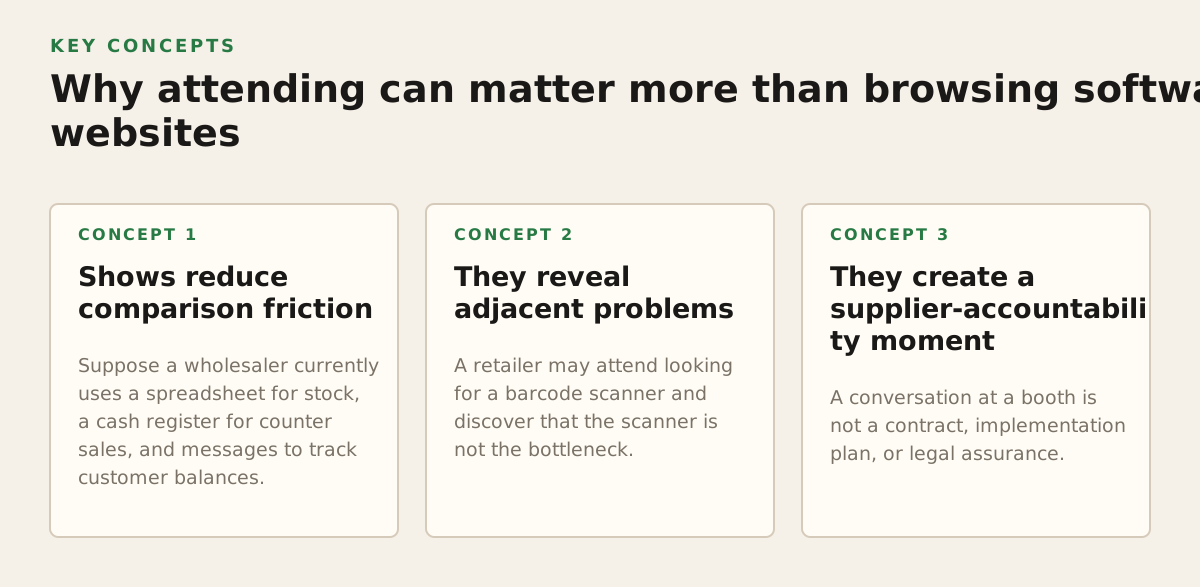
Shows reduce comparison friction
Suppose a wholesaler currently uses a spreadsheet for stock, a cash register for counter sales, and messages to track customer balances. Each tool may work alone. The hidden cost appears when a customer disputes an invoice or when stock at the second warehouse is unavailable. A show gives the owner an opportunity to ask several providers the same five questions and document the answers in one sitting.
- Can one product record purchases, sales, returns, and internal transfers?
- Can staff search by barcode, product code, description, or customer?
- What happens when the internet is unavailable for an hour?
- Can an accountant receive a usable export without rebuilding the books?
- How are user permissions, deleted transactions, corrections, and cash differences handled?
The value is not the number of booths visited. It is the quality of comparable evidence. A vendor that cannot show your workflow may still have a capable product, but you should classify it as unverified fit, not as a shortlisted solution.
They reveal adjacent problems
A retailer may attend looking for a barcode scanner and discover that the scanner is not the bottleneck. The actual problem may be inconsistent product codes, duplicate product records, poor purchasing discipline, or a lack of end-of-day reconciliation. Technology can accelerate a clean process, but it can also automate confusion.
Standards matter here. GS1 explains that barcodes identify products and enable information to be captured at points such as checkout and inventory processes; its official barcode overview is a useful reference when checking product-identification proposals (GS1 barcode standards). The practical lesson is simple: ask whether a proposed system can import and preserve your existing product codes before buying new labels or scanners.
They create a supplier-accountability moment
A conversation at a booth is not a contract, implementation plan, or legal assurance. Still, it lets you observe whether the supplier asks about your operation. A serious discovery conversation should cover product count, number of cashiers, warehouses, sales channels, language, hardware, internet reliability, invoicing requirements, data migration, and who will train staff.
Be cautious when the demonstration depends on a perfect catalogue, a fast connection, or a salesperson who performs every step. Ask to repeat the workflow yourself. Hands-on verification is especially important for cashiers and warehouse workers, who need speed and clarity rather than an impressive management dashboard.
How to work a Retail Technology Show without wasting the day
Preparation determines whether an event produces decisions or a bag of marketing material. Start with a one-page problem brief. Do not write “modernise the business.” Write observable failures and the consequence of each one.
Prepare a fact sheet before registration
- Business type: grocery, supermarket, café, restaurant, wholesaler, distributor, repair service, or consultancy.
- Current sales process: handwritten invoice, spreadsheet, cash register, desktop application, or several systems.
- Approximate product or service catalogue size, clearly marked as an internal estimate.
- Number of sales points, warehouses, cashiers, managers, and accountant users.
- Languages required by staff and customers: French, Arabic, English, or a combination.
- Hardware already owned: Windows PCs, macOS computers, printers, scanners, scales, and payment devices.
- Three failure examples from the last month, such as stock discrepancies, unclosed cash sessions, or duplicated customer records.
Do not use unsupported precision merely to sound prepared. If you estimate that a shop has 2,800 active items, label it as an internal estimate and ask the supplier to explain how the count affects setup, search, backup, and reporting. A starting policy might be to prioritise the 20 workflows responsible for most daily work; that is an illustrative preparation rule, not a universal benchmark.
Book meetings around jobs, not product categories
“I want inventory software” is too broad for a useful appointment. Instead, request a demonstration of “receiving 30 cases, splitting units for sale, transferring 10 cases to another location, selling five units, and correcting a damaged item.” A café can request “open a shift, record a takeaway order, cancel one line with permission, accept two payment methods, and close the shift.” A repair business can request “create a customer, issue a quotation, reserve a part, mark the job ready, and invoice it.”
Bring a small sample of real data, with confidential details removed:
- Five products with different units, such as piece, box, kilogram, or litre.
- Three suppliers and two customers with similar names.
- One purchase, one sale, one return, and one internal transfer.
- One product with a changing purchase cost.
- One example of a partial payment, customer balance, or cash difference.
This sample makes vague claims testable. If the system cannot represent your units or return policy in a demonstration, record the limitation. Do not accept “the implementation team will handle it” without a written explanation of how, at what cost, and with what effect on reports.
Use a scoring sheet during every demonstration
| Area | Question to ask | Evidence to record |
|---|---|---|
| Checkout | Can a cashier find items quickly and correct a line with permission controls? | Steps, user roles, receipt output |
| Stock | What happens after a purchase, sale, return, loss, or warehouse transfer? | Movement history and resulting quantity |
| Cash | Can the manager compare expected and counted cash by session? | Opening float, payments, closing variance |
| Invoicing | Can the business create, correct, export, and retrieve its required documents? | Document sequence and export format |
| Data | Can existing products, customers, suppliers, and opening stock be imported? | Template, validation, error handling |
| Support | Who answers operational questions after purchase? | Named channel, hours, language, escalation |
Score “shown,” “partly shown,” or “not shown” instead of assigning arbitrary marks. Unseen functionality is a risk. It should not receive the same score as a workflow completed with your sample data.
How the technology works underneath the demonstration
A convincing demo hides the data model. Your job is to uncover it. Retail technology becomes dependable when each business event has a clear source, owner, status, and audit trail.
Product and stock events
A product record should distinguish identity from quantity. Identity includes code, description, unit, tax treatment where applicable, and selling information. Quantity changes through events: receipt, sale, return, adjustment, loss, production, or transfer. If a supplier invoice simply overwrites the old quantity, you may see today’s balance but lose the explanation for yesterday’s discrepancy.
Ask the demonstrator to show the movement history for one product. A useful answer identifies the document, date, user, quantity, location, and reason. For a wholesaler, the location must be more than a label on a report: the system should prevent a sale from silently consuming stock assigned to the wrong warehouse unless the business deliberately permits that behaviour.
Point of sale and cash control
A POS workflow joins speed with accountability. The cashier needs a short path to complete a sale, while the manager needs controls over discounts, cancellations, returns, and drawer closing. Ask whether permissions can separate ordinary selling from sensitive corrections. Also ask whether the system records payment type independently from the sale total, so cash, card, transfer, and customer credit are not mixed together.
Payment security deserves precise questions rather than broad assurances. The Payment Card Industry Security Standards Council publishes merchant guidance and explains that payment security responsibilities depend on how a merchant accepts and processes card payments; consult its official merchant resources when evaluating a payment arrangement (PCI Security Standards Council merchant resources). For a Tunisian SME, ask the payment provider and software vendor which party handles card data, which device is certified by whom, and whether the POS stores sensitive payment information.
Invoicing and document continuity
Invoicing is not merely printing a logo on a receipt. It includes numbering, customer identity, dates, line details, totals, corrections, copies, exports, and retrieval. The exact local legal and tax requirements must be confirmed with the business’s accountant or the relevant Tunisian authority; a technology salesperson should not be treated as the legal source.
International references can still clarify the design problem. The European Commission describes electronic invoicing in terms of a structured invoice that can be processed automatically, rather than only a visual document such as a PDF (European Commission: European standard for electronic invoicing). That does not make European requirements applicable to Tunisia. It does show why you should ask whether data can be exported in a structured, reusable form instead of being trapped in an image.
Reports and exception management
Reports should answer an action question. “Sales dashboard” is a category; “Which items sold below the intended margin this week?” is a management question. “Inventory report” is vague; “Which products show negative or unusually low stock at the La Marsa location?” is operational.
- Cashier closing with expected versus counted amounts.
- Sales by product, category, user, location, and payment method.
- Stock on hand with movement history and adjustment reasons.
- Purchases by supplier and outstanding customer or supplier balances.
- Slow-moving, fast-moving, low-stock, and negative-stock exceptions.
- Profit or margin views whose calculation rules are visible to the manager.
Ask what happens when data is incomplete. A report that silently excludes products with missing cost prices may look accurate while hiding the most important problem. A dependable system should make exceptions visible and explain the calculation logic in terms an owner or accountant can verify.
Where Retail Technology Shows and products break down
Trade events create optimism because every supplier controls the demonstration environment. The hard part begins when a real cashier makes a mistake, a supplier delivers a substitute item, the internet drops, or the owner needs a report six months later.
The integration illusion
“It integrates with everything” is not a testable requirement. Ask what integration means: a live connection, a scheduled file import, a manual export, or a partner-built custom process. Ask which system owns the product price, customer balance, stock quantity, and invoice number. Two systems should not both be allowed to edit the same field without a defined priority.
For a small business, a simpler all-in-one application may be safer than a large chain of integrations if the workflow is mainly local and desktop-based. That is not a universal rule. A business with an online storefront, external delivery operation, or advanced accounting stack may need connections. The decision depends on whether the added connection removes more work than it creates in reconciliation and support.
The connectivity and hardware trap
A cloud-only demonstration can be smooth at the exhibition and difficult in a shop with unreliable connectivity. Ask for the exact offline behaviour: Can staff open the POS? Can they sell existing products? Are prices cached? What happens to duplicate transaction numbers when the connection returns? Can a receipt print locally? “Works offline” is incomplete unless the vendor explains synchronization and conflict handling.
Hardware is equally practical. Confirm operating-system support, printer compatibility, scanner input, screen size, keyboard shortcuts, and replacement procedures. A retailer running Windows and macOS should request a device-specific demonstration rather than assuming that a browser-based product behaves identically on every computer.
The migration trap
Opening stock and master data are often harder than the software installation. Product names may contain spelling variants, supplier codes may be duplicated, and old stock may be recorded in packs while sales are recorded in pieces. Customer balances may include unresolved historical entries. If these are imported without review, the new system can produce precise reports from inaccurate foundations.
Use a controlled migration sequence:
- Export the old data and preserve the original file unchanged.
- Remove duplicates and agree on product codes, units, and naming conventions.
- Import a small sample and verify prices, units, customers, suppliers, and permissions.
- Reconcile the opening stock and cash or balance figures with the owner and accountant.
- Record the cutover date and prevent parallel edits in the old system unless a written procedure exists.
The dates and quantities in this sequence are implementation controls, not promises about how long a migration will take. Complexity depends on data quality, catalogue size, number of locations, and the vendor’s tools.
The security and access trap
Small businesses sometimes share one administrator password because it feels convenient. That removes accountability: nobody can determine who changed a price, cancelled a sale, or adjusted stock. Ask for separate user accounts, role permissions, recovery procedures, and an export or backup process that the business can understand.
Do not infer security from a badge, logo, or polished booth. Ask where data is stored, who can access it, how accounts are recovered, how former employees are removed, and what happens if the vendor relationship ends. For card payments, keep the payment terminal and software responsibilities distinct and document the boundaries with the acquiring or payment provider.
How Tunisian practitioners should apply what they learn
The best output from a show is a smaller decision, not an impulsive purchase. A Tunisian SME should leave with a shortlist, a documented gap list, and a next-step test that uses its own operations.
Retailers and supermarkets
Begin with product identity and stock accuracy. Test barcode scanning, units of measure, purchase receiving, selling price changes, returns, damaged goods, expiry-related procedures where relevant, and transfers between storage locations. Then test the manager’s day: open a cashier session, review payment totals, investigate a discrepancy, and produce a purchasing report.
A supermarket should be wary of a product that demonstrates checkout speed but cannot explain stock adjustments. Conversely, a system with sophisticated stock tools may be unsuitable if a cashier needs too many screens to complete an ordinary sale. The decision is a balance between front-counter speed and back-office traceability.
Cafés, restaurants, and fast-food businesses
Use an order scenario rather than a retail catalogue scenario. Demonstrate takeaway and on-premise orders if both exist, modifiers, cancellations, split or combined payments where needed, printed kitchen or preparation instructions if applicable, and end-of-shift reconciliation. Ask what the system records when a customer changes an order after preparation has started.
Do not buy a restaurant workflow because its screen looks attractive. Count the actions required for the most common order, then test an exception. A fast path that cannot handle a cancelled item, a wrong payment method, or a manager-authorised correction will push staff back to paper notes.
Wholesalers and distributors
Prioritise customer-specific prices, quotations, credit terms, partial deliveries, warehouse transfers, loading documents, and outstanding balances. Ask whether the sales team can see available stock by location before promising a delivery. Test a purchase with a different supplier unit from the selling unit, and verify the resulting quantity and cost.
For multiple warehouses, require a location-by-location stock view and a movement history. A single total across all warehouses can hide the fact that the customer’s requested product is unavailable at the dispatch location. Location-aware stock is a decision requirement, not a decorative filter.
Repair, installation, and consulting businesses
These businesses should not force every activity into a product-sales template. Test customer history, service descriptions, quotations, deposits, parts used, technician or consultant assignment, status changes, and final invoicing. A repair shop may need to distinguish an item received, a diagnosis, an approved estimate, a part ordered, and a completed job. A consultant may need time or service lines without inventory.
Ask whether the system can keep a clear customer record when no physical product is sold. If the answer is “create a generic product for every service,” check how that affects reporting, pricing, taxes, and repeat work.
Accountants and business consultants
Advisers should evaluate the client’s operating discipline, not only the feature catalogue. Ask who will maintain product codes, approve corrections, reconcile cash, review stock adjustments, and archive documents. A low-cost application that nobody uses is more expensive than a modest system aligned with daily behaviour.
- Map the client’s current documents before recommending a replacement.
- Separate legal or tax advice from software capability claims.
- Require export and backup demonstrations using anonymised client-like data.
- Define the accountant’s handoff: report, export, shared access, or periodic review.
- Write down what the selected system does not cover, so expectations remain realistic.
A practical post-show decision rule
Within a short, internally agreed review period, place every candidate in one of three groups: “fit demonstrated,” “needs proof,” or “not suitable.” An illustrative starting policy is to reject any candidate that fails a critical workflow twice during a controlled demonstration, while allowing non-critical cosmetic issues to remain open. This is a decision policy for your business, not an industry benchmark.
For candidates in “needs proof,” request a written answer and a scenario-based trial or demonstration. Ask for the total operating model: software payment, hardware, data migration, training, support, backups, upgrades, and exit options. Do not invent a five-year saving from a vendor’s headline claim. Calculate your own baseline from hours spent correcting stock, preparing invoices, closing cash, and searching for customer information.
For many Tunisian SMEs, the sensible next step is to standardise core operations before adding advanced channels: products, purchases, sales, inventory, invoicing, cash, customers, suppliers, and reporting. Inventisia is designed as an all-in-one desktop business management application for these workflows, runs on Windows and macOS, supports French, Arabic, and English, and offers lifetime access for a one-time payment. If that operating model matches your needs, explore Inventisia through Inventisia and judge it against your own sample workflows rather than against a show-floor promise.
Authored with NotFair SEO
Download Inventisia Now
600 DT · Lifetime access · 3-day free trial · WhatsApp support
Download the app